 CapyOS
The
island
your
Windows
was
missing.
Music, translation, clipboard history, a calculator, notes, search, screen recording and live wallpapers — tucked into one island at the top of your screen. Open it with Ctrl + Alt + N.
Small island.
Huge toolbox.
CapyOS sits quietly at the top edge and wakes up when something happens — a new track, a copy, a timer. Hover or press the shortcut and it unfolds into a full control panel.
Now playing, everywhere
Track, artist and cover from Spotify, YouTube Music, your browser or any player. Play, pause, skip, seek and change volume without switching windows.
Translate & fix text
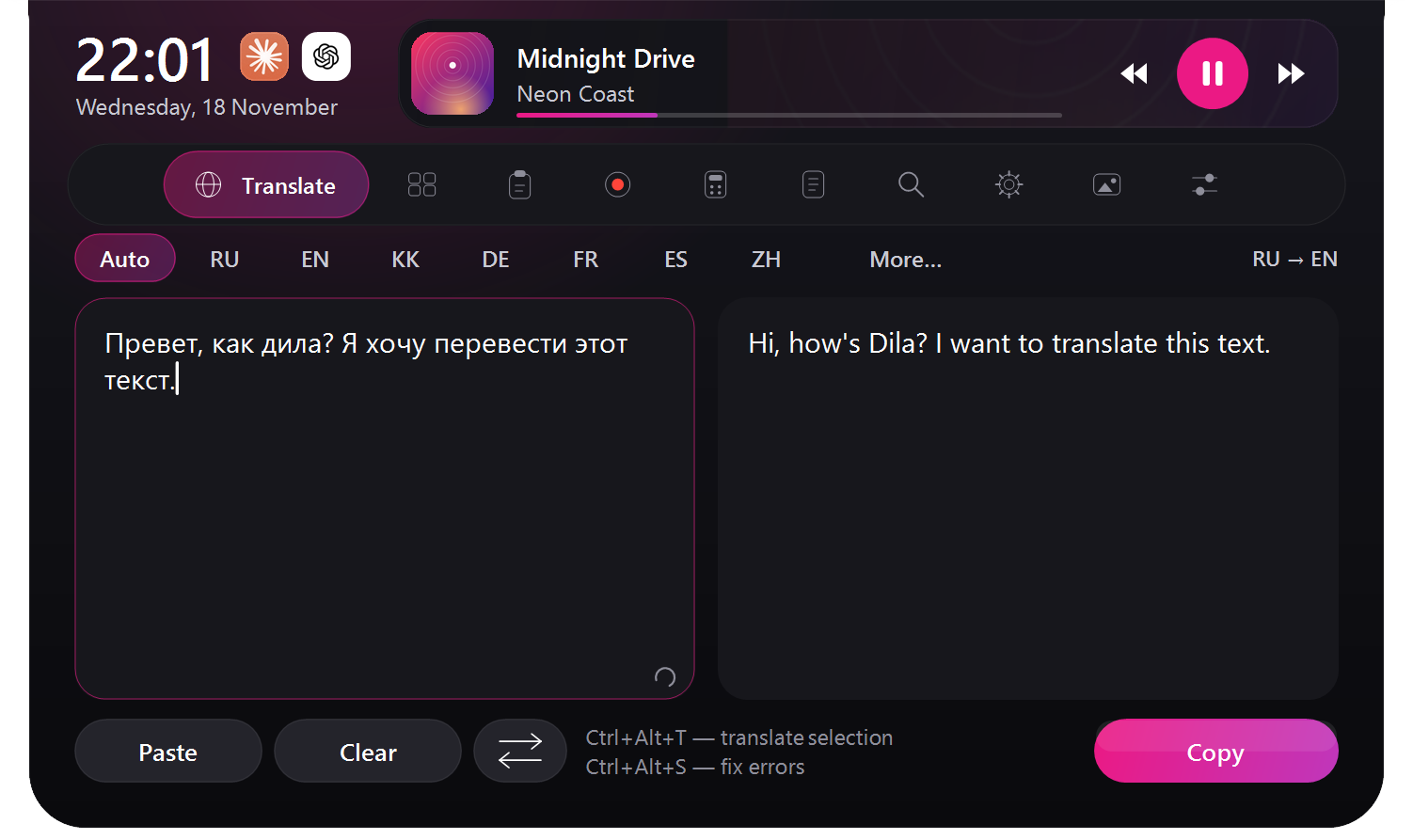
Translate between 39 languages and correct spelling in selected text inside any app — select, press, done.
Clipboard history
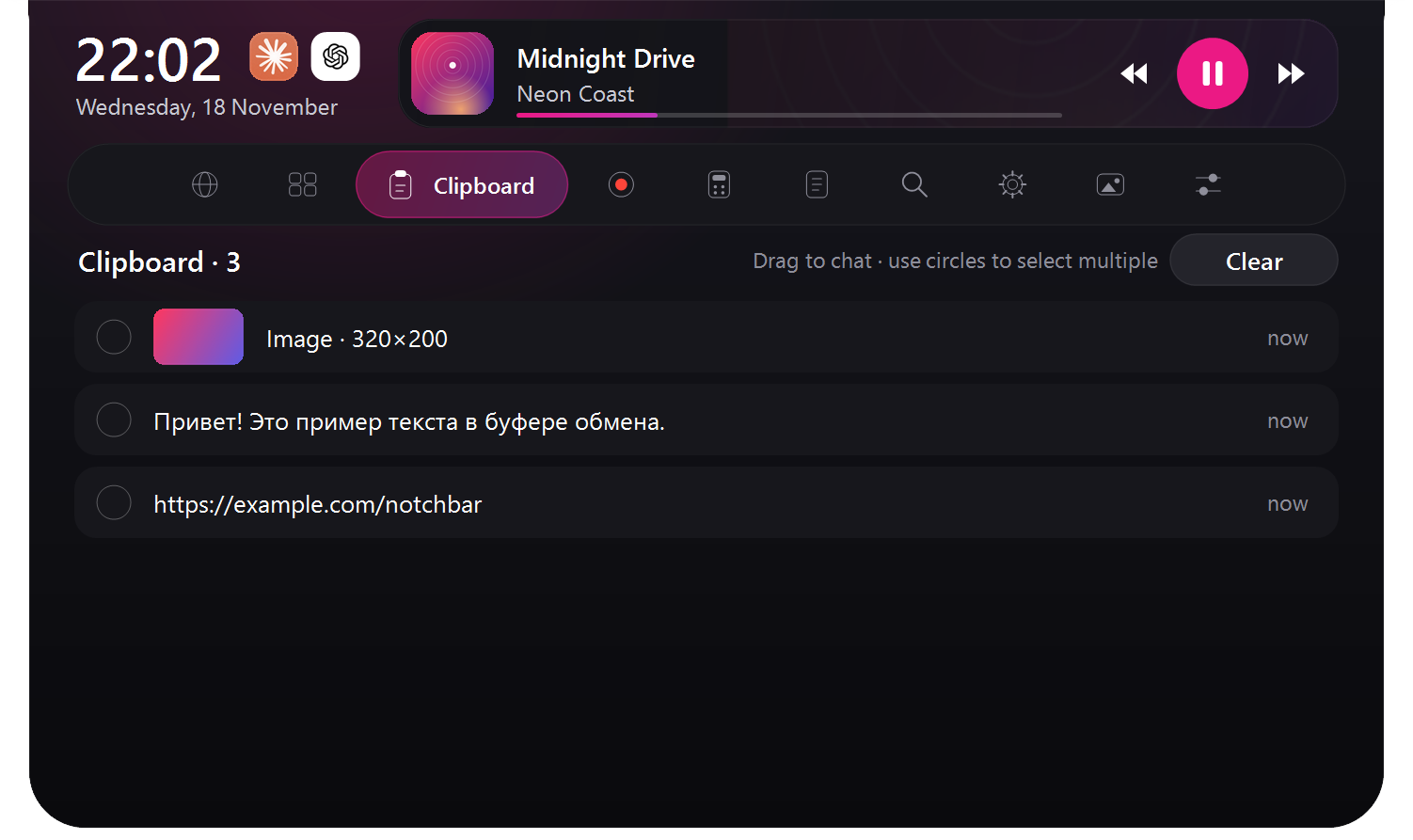
Everything you copy, images included. Drag several entries into a chat and the photos go out as one album.
Live wallpapers
The official music video of the current song, synced lyrics, a glass clock and an album carousel right on your desktop.
Screen recording
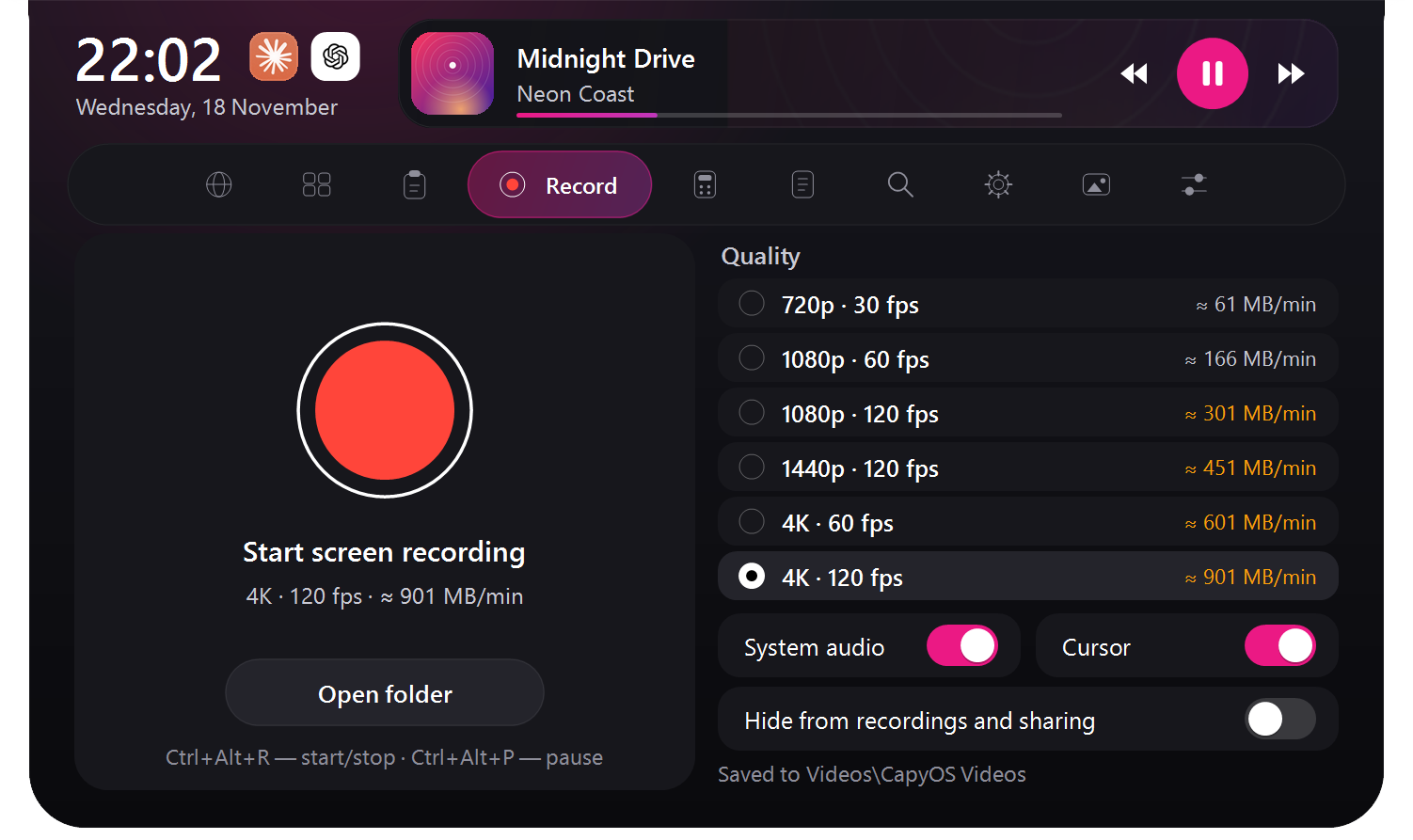
Up to 4K at 120 fps with system audio. One click to pause or stop. Videos land in your Videos folder.
Calculator & notes
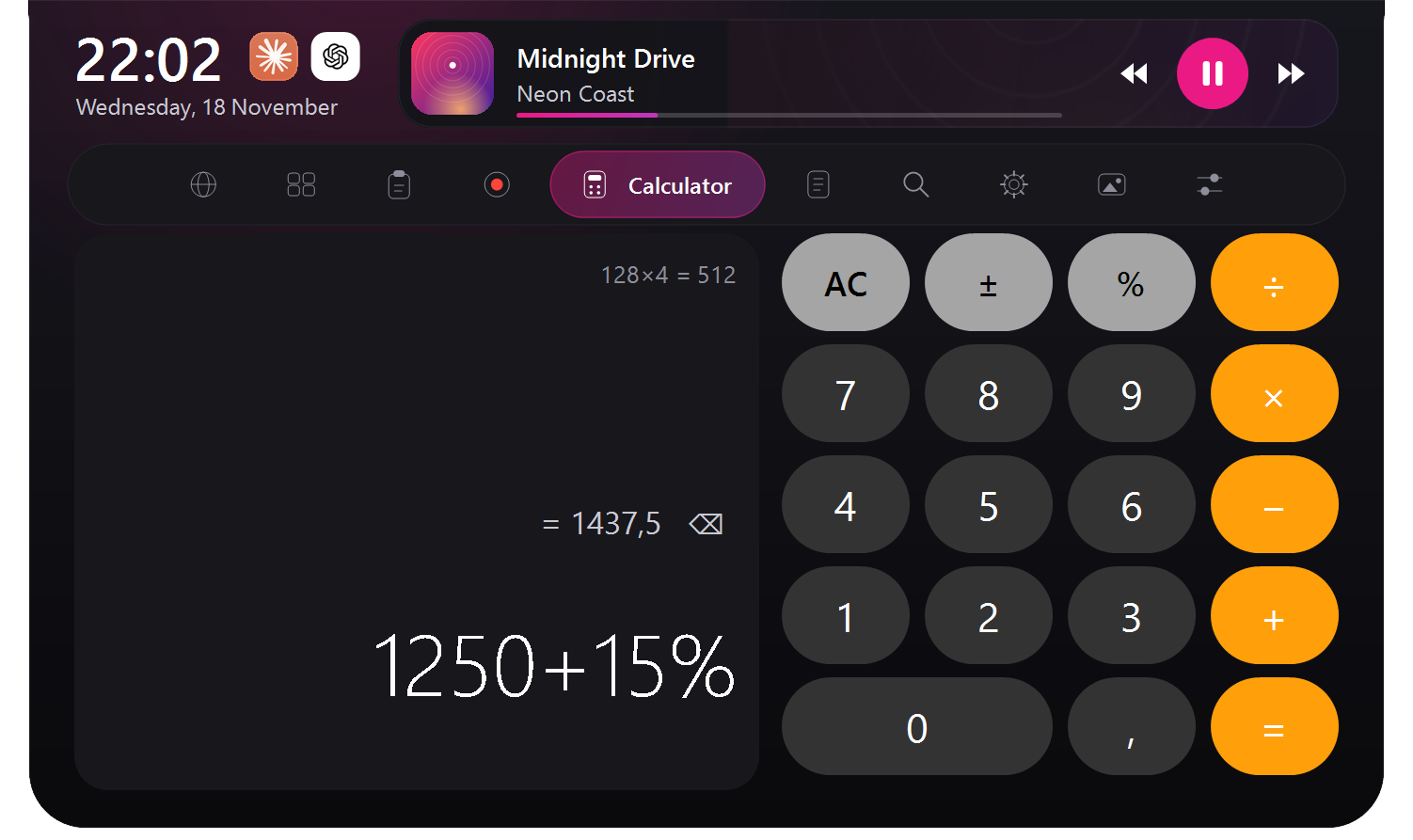
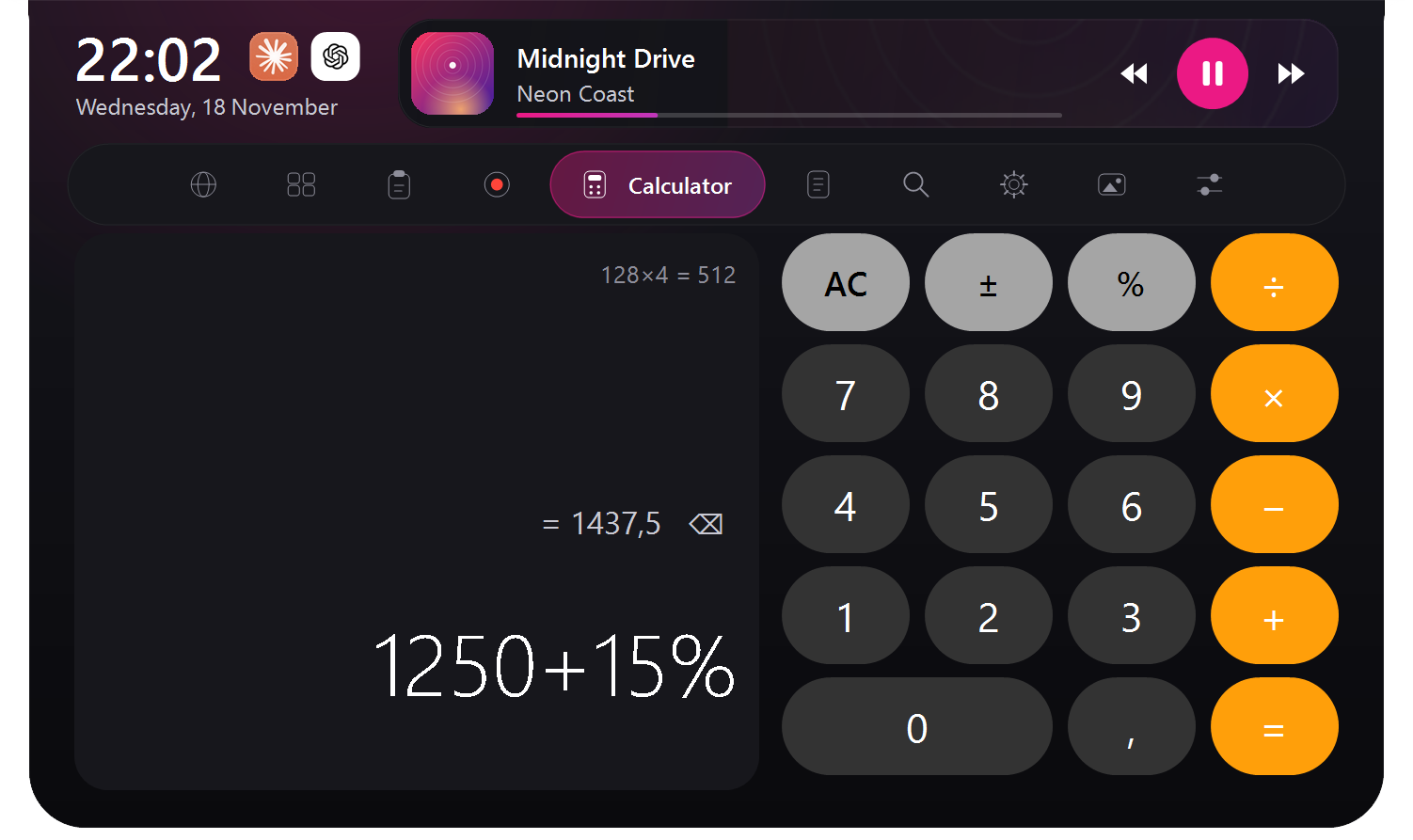
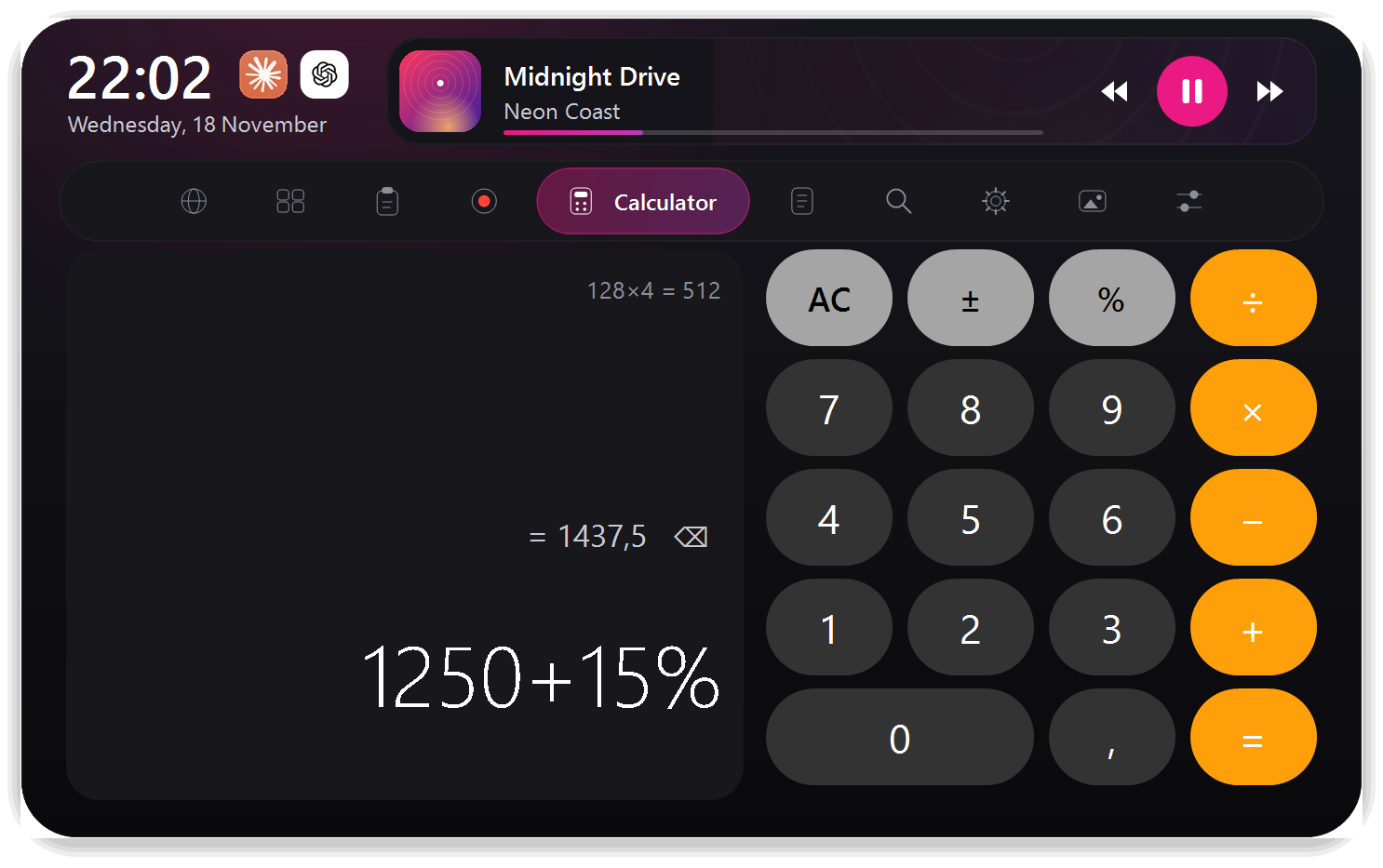
A real calculator with history and quick notes that stay on your PC. Always one hover away.
Instant search
Type straight into the island for web search with live suggestions. No browser tab hunting.
Claude & ChatGPT
Your AI chats open inside the panel and stay signed in. Ask without leaving what you are doing.
System controls
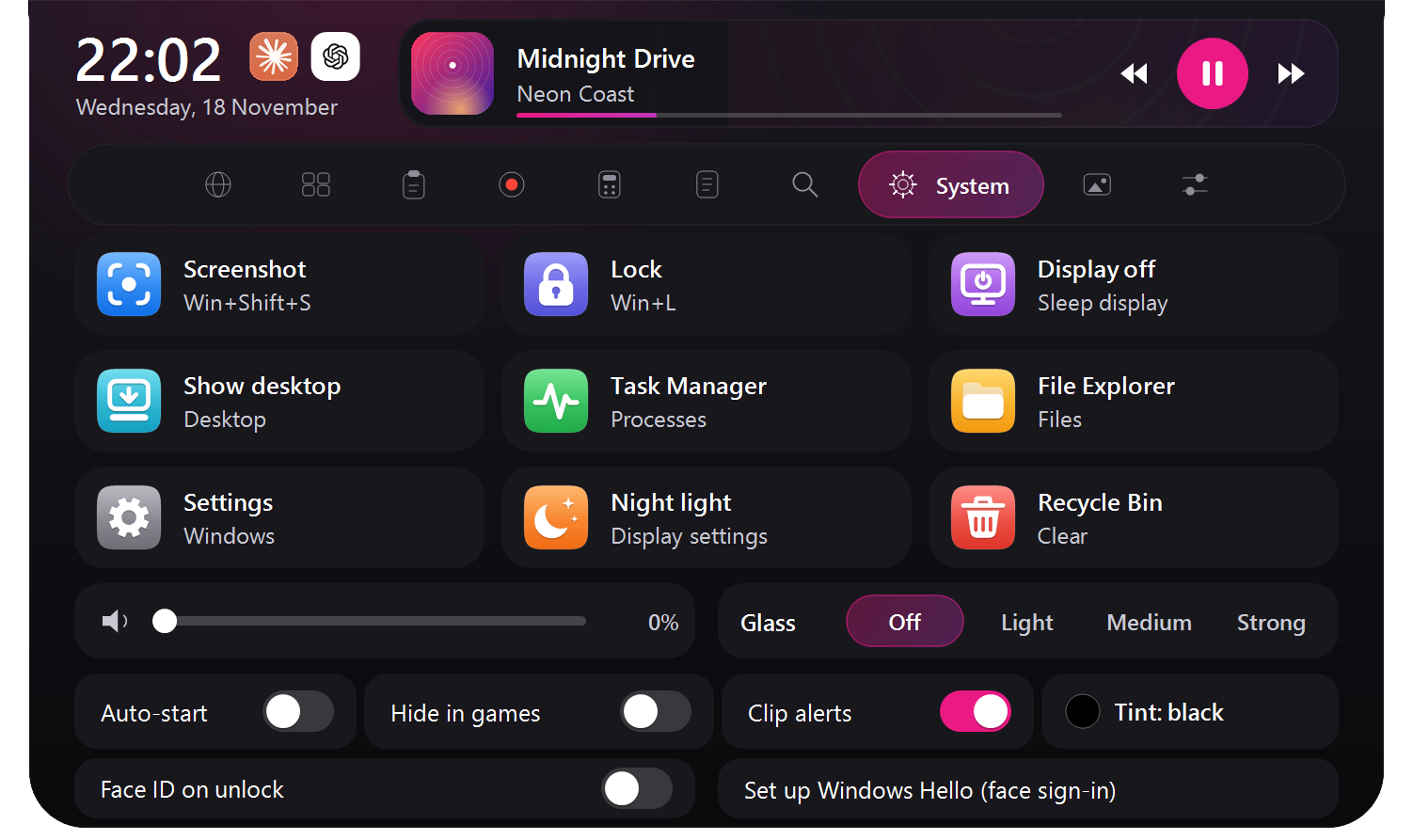
Volume, brightness, Wi-Fi, Bluetooth, battery and timers — the quick toggles you reach for all day.
Hover. Unfold.
Get it done.
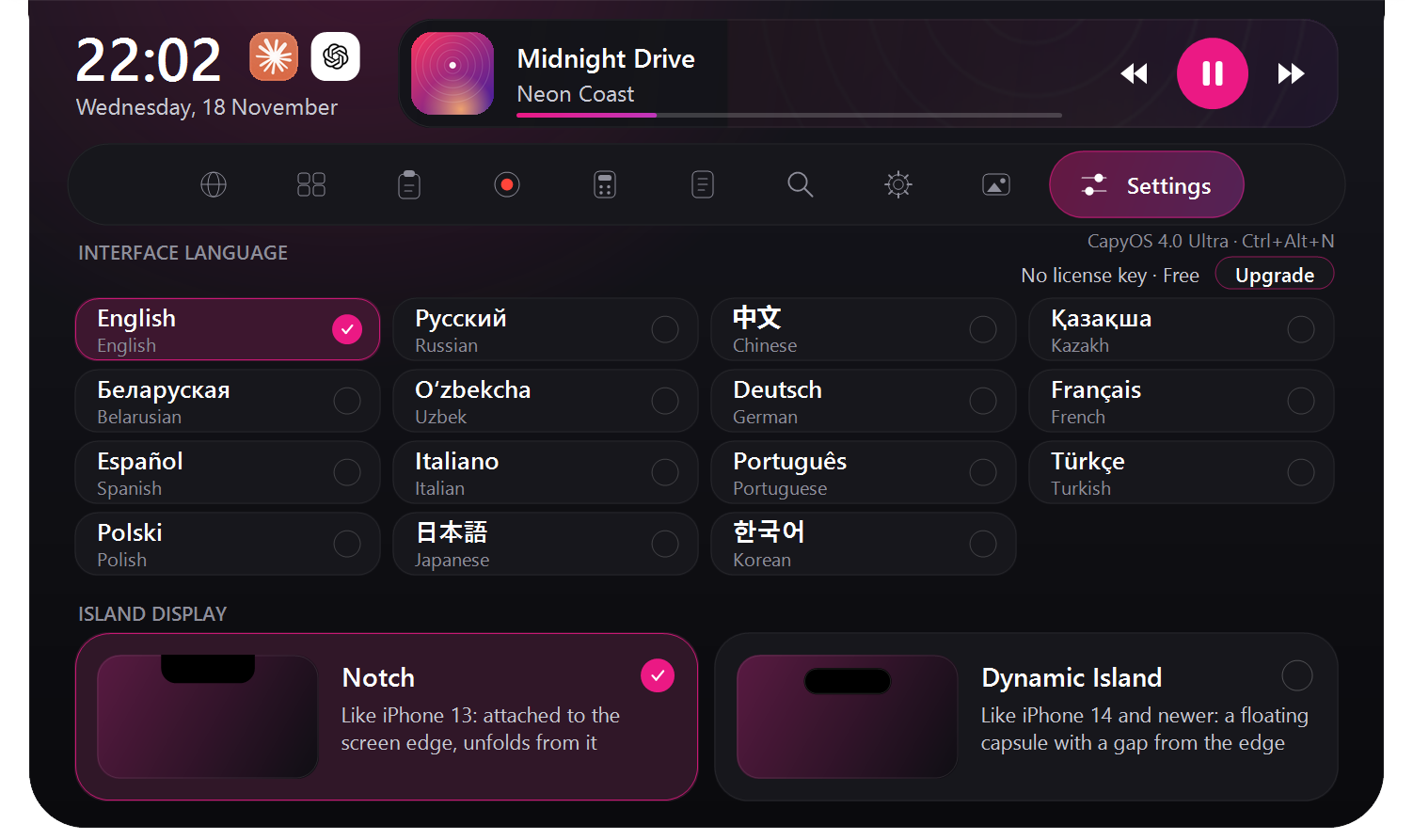
Real screenshots from CapyOS, not drawings. Click a tab to see it exactly as it looks on Windows.
Notch or
Dynamic Island.
Pick the style you like in Settings. Notch hugs the top edge like the iPhone 13. Dynamic Island floats as a capsule like the iPhone 14 and newer. Both are real renders.


Rendered by CapyOS.
Frame by frame.
No mock-ups and no screen recordings: every frame below was drawn by CapyOS itself, at 3840×2160 and 120 frames per second.
Music you can
see on your desktop.
The song's cover becomes your wallpaper, lyrics land word by word in time with the music and the screen edges glow to the beat. This is the real wallpaper, rendered in 4K.
Pay once.
Keep it forever.
Start free. Upgrade with a one-time key whenever you want more. No subscriptions.
- Now-playing island with controls
- Calculator with history
- Quick notes
- System controls & timers
- Automatic updates
- Everything in Free
- Translate 39 languages & fix spelling
- Clipboard history with images
- Screen recording up to 4K · 120 fps
- Instant search & window switcher
- Everything in Pro
- Live music-video wallpaper
- Synced lyrics stage & album carousel
- Claude & ChatGPT inside the panel
- Spotify integration
Your key is shown right after payment. It works only on your PC(s): you can move it to a new PC yourself in My license. Features of higher editions are not in the Free and Pro downloads at all.
Three steps.
Zero hassle.
Download
Grab CapyOSSetup.exe — a tiny launcher, under 400 KB.
Run it
The launcher fetches the latest CapyOS, checks its digital signature and SHA-256, and installs it for your user only.
Enjoy
CapyOS appears in Start and on your desktop. Updates arrive on their own every time you launch it.
Good questions.
Is CapyOS free?
Can I share my key or my CapyOS file with a friend?
How do I pay?
Windows says “Windows protected your PC”. Is that normal?
Does it need administrator rights?
%LOCALAPPDATA%\Programs\CapyOS) and never touches system folders.